
Anúncios
Your smartphone isn’t just a communication device—it’s a portable audio powerhouse waiting to be fully explored and optimized for incredible sound experiences.
Unlock Professional Sound Quality
Explore Audio Settings
Modern smartphones pack surprising audio capabilities that most users never fully utilize. From spatial audio processing to high-resolution playback, these pocket-sized devices have evolved into sophisticated audio systems that rival dedicated music players from just a decade ago.
Whether you’re listening to music during your commute, recording podcasts, making important calls, or enjoying immersive gaming sessions, understanding how to maximize your device’s audio potential can transform your entire mobile experience. Let’s dive deep into the techniques and tools that will help you unleash the true power hidden within your smartphone’s speakers and audio processing capabilities.
🎧 Understanding Your Smartphone’s Audio Architecture
Before optimizing your phone’s audio output, it’s essential to understand the technology working behind the scenes. Modern smartphones typically feature multiple audio components including dedicated DACs (digital-to-analog converters), amplifiers, and sophisticated software processing systems.
The audio quality you experience depends on several factors: the quality of internal components, the audio codec being used, the streaming quality settings, and even the type of content you’re consuming. High-end devices often include premium audio chips from manufacturers like Qualcomm or Cirrus Logic, which can process audio at studio-quality levels.
Many flagship smartphones now support high-resolution audio formats like FLAC, ALAC, and DSD, capable of reproducing sound with much greater detail than standard MP3 files. These formats preserve the nuances of original recordings, delivering an experience closer to what artists intended in the studio.
📱 Native Audio Settings That Make a Difference
Your smartphone’s built-in audio settings contain powerful tools that often go unnoticed. Both Android and iOS devices offer various equalizer presets, sound enhancement features, and audio routing options that can dramatically improve your listening experience.
On Android devices, look for settings like “Adapt Sound” or “Sound Quality and Effects” in your audio menu. These features analyze your hearing profile and customize the audio output specifically for your ears. Samsung devices, for example, offer personalized sound profiles that adjust frequencies based on an age-related hearing test.
iPhone users can explore features like “Headphone Accommodations” in accessibility settings, which amplifies soft sounds and adjusts certain frequencies. The “Spatial Audio” feature on compatible devices creates an immersive, theater-like experience by simulating surround sound through standard headphones.
Essential Settings to Adjust Right Now
- Enable HD Audio: Switch from standard to high-quality or HD audio in your music streaming apps
- Disable Audio Compression: Turn off any “volume normalization” features that compress dynamic range
- Activate Developer Audio Options: Access hidden audio codecs and sampling rate controls through developer settings
- Configure Bluetooth Codec: Select LDAC, aptX HD, or AAC for superior wireless audio quality
- Adjust Equalizer Settings: Customize frequency response to match your headphones and musical preferences
🎵 Choosing the Right Audio Formats and Sources
The source quality of your audio content matters tremendously. Streaming services vary significantly in their audio quality offerings, with some providing CD-quality or even hi-res options for discerning listeners.
Services like Tidal, Qobuz, and Apple Music now offer lossless audio streaming, preserving the full fidelity of original recordings. Spotify Premium streams at 320kbps Ogg Vorbis, which is excellent for most listeners, though the service has announced plans for a hi-fi tier.
When downloading music for offline listening, always choose the highest quality option available. The difference between a 128kbps compressed file and a lossless FLAC recording becomes immediately apparent when using quality headphones or external speakers.
Audio Format Comparison
| Format | Quality Level | File Size | Best Use Case |
|---|---|---|---|
| MP3 320kbps | Very Good | Small | General listening, limited storage |
| AAC 256kbps | Very Good | Small | Apple ecosystem, streaming |
| FLAC | Lossless | Large | Audiophile listening, archiving |
| ALAC | Lossless | Large | Apple devices, high-fidelity |
| Hi-Res (24-bit/96kHz) | Studio Quality | Very Large | Professional monitoring, critical listening |
🎤 Maximizing Recording and Voice Quality
Your smartphone’s audio capabilities extend beyond playback—modern devices feature surprisingly capable recording systems. Understanding microphone placement, app settings, and environmental factors can elevate your voice recordings from amateur to professional quality.
Most smartphones include multiple microphones positioned strategically around the device for noise cancellation and directional recording. When recording audio, experiment with holding your phone at different angles and distances to find the optimal position that captures clear, balanced sound.
Professional recording apps offer much greater control than the default voice recorder. Applications like Dolby On, RecForge II, or Voice Record Pro provide features like compression, noise reduction, and high-quality export options that can make your recordings sound studio-polished.
🔊 External Audio Solutions That Transform Your Experience
While internal smartphone audio has improved dramatically, external accessories can take your listening experience to entirely new levels. The right headphones, DAC, or portable speaker can reveal audio details your phone’s built-in components simply cannot reproduce.
Wireless earbuds have evolved significantly, with models from Sony, Bose, and Apple offering active noise cancellation, transparency modes, and custom EQ profiles accessible through companion apps. These features work in harmony with your smartphone to create personalized audio environments.
For audiophiles seeking ultimate quality, portable DAC/amplifiers like those from FiiO, AudioQuest, or Helm Audio connect to your smartphone and bypass internal audio processing entirely. These devices can drive high-impedance headphones and support hi-res audio formats that truly showcase your music collection.
Bluetooth Audio Codec Hierarchy
Understanding Bluetooth codecs helps you make informed decisions about wireless audio devices. Here’s the quality hierarchy from standard to exceptional:
- SBC: Standard Bluetooth codec—universal compatibility but lowest quality
- AAC: Better than SBC, optimized for Apple devices and efficient compression
- aptX: Qualcomm’s codec offering CD-quality wireless audio with low latency
- aptX HD: Enhanced version supporting 24-bit audio for greater detail
- LDAC: Sony’s codec transmitting up to 990kbps—closest to wired quality
📲 Essential Audio Apps That Unlock New Possibilities
The right applications can dramatically expand your smartphone’s audio capabilities, offering features and functions that native systems simply don’t provide. Specialized apps give you precision control over every aspect of your audio experience.
Equalizer apps like Wavelet (Android) or Boom (iOS) provide system-wide audio enhancement with customizable presets and AutoEQ functionality that automatically optimizes sound for hundreds of specific headphone models. These apps can correct frequency response issues and personalize sound to your exact preferences.
Music player apps such as Poweramp, USB Audio Player PRO, or Neutron Music Player support virtually every audio format imaginable and offer bit-perfect playback, advanced DSP options, and sophisticated library management tools that transform your phone into a true audiophile device.
🎮 Gaming and Multimedia Audio Enhancement
Gaming on smartphones demands responsive, immersive audio that provides competitive advantages and enhances entertainment value. Modern mobile games incorporate spatial audio cues that help you locate opponents, detect environmental sounds, and fully engage with virtual worlds.
Enable “Game Mode” audio features available on many Android devices, which prioritize low-latency audio processing to eliminate delays between visual action and corresponding sound. This synchronization becomes crucial in fast-paced competitive games where milliseconds matter.
For video content, HDR audio formats like Dolby Atmos create dimensional soundscapes that add depth and realism to movies and shows. Many streaming services now support these enhanced audio tracks, and compatible smartphones can decode and present them through headphones using psychoacoustic processing.
🔧 Advanced Tweaks for Power Users
Tech-savvy users can access deeper system-level audio modifications that push smartphone audio performance beyond factory specifications. These advanced techniques require careful implementation but deliver noticeable improvements for those willing to experiment.
Android users can enable Developer Options and access hidden audio settings including USB audio routing, resampling quality, and codec preferences. Adjusting the “Bluetooth Audio Codec” setting allows you to force specific high-quality codecs when connecting to compatible devices.
Some enthusiasts install custom audio drivers or sound mods like Viper4Android or JamesDSP that provide professional-grade audio processing including convolution reverb, dynamic bass enhancement, and spectrum extension. These modifications require root access but offer unprecedented control over audio output.
Developer Settings Audio Optimizations
- Set audio sample rate to 48kHz or 96kHz for higher resolution
- Disable absolute volume control for better Bluetooth volume management
- Enable high-quality audio resampler for improved conversion
- Adjust Bluetooth audio bitrate to maximum supported level
- Configure USB audio routing for external DAC connectivity
🌐 Streaming Services: Choosing Quality Over Convenience
Your streaming service selection significantly impacts audio quality. While convenience and library size matter, services differ substantially in their audio fidelity offerings and technical specifications.
Tidal stands out for audiophiles with its HiFi tier delivering lossless FLAC quality at 1411kbps, plus Master Quality Authenticated (MQA) tracks that claim studio-master quality. Apple Music recently introduced Lossless and Hi-Res Lossless tiers at no additional cost, supporting up to 24-bit/192kHz audio.
Amazon Music HD provides Ultra HD tracks with bit depths and sample rates exceeding CD quality, while Deezer HiFi offers FLAC streaming at 1411kbps. Even YouTube Music has begun rolling out higher quality options, though it still lags behind dedicated music services.
🎼 Calibrating Audio for Different Listening Environments
Optimal audio settings vary depending on your listening environment and activity. Creating custom profiles for different scenarios ensures you always experience the best possible sound regardless of circumstances.
In noisy environments like public transportation or busy streets, aggressive noise cancellation and boosted mid-range frequencies help vocal clarity cut through ambient sound. Conversely, quiet home listening benefits from wider dynamic range and more neutral frequency response that reveals subtle musical details.
Many modern smartphones include adaptive audio features that automatically adjust output based on environmental noise levels. While convenient, manually creating and switching between custom EQ profiles gives you greater precision and control over your listening experience.
🔋 Balancing Audio Quality and Battery Life
High-quality audio processing demands significant computational resources, which directly impacts battery consumption. Understanding this relationship helps you make informed decisions about when to prioritize quality versus battery longevity.
Streaming hi-res audio files requires more data bandwidth and processing power than standard quality streams. When battery conservation becomes critical, switching to high-quality (but not lossless) settings provides excellent sound while reducing power draw by 15-25%.
Bluetooth audio typically consumes less power than wired connections because the phone’s internal amplifier doesn’t need to drive headphones. However, higher-quality Bluetooth codecs like LDAC require more processing, slightly offsetting this advantage.
🎯 Creating Your Personal Audio Profile
Everyone’s hearing differs slightly due to age, genetics, and environmental exposure. Creating a personalized audio profile that accounts for your unique hearing characteristics ensures you experience music exactly as it should sound to your ears.
Many smartphones now include hearing tests that generate custom audio profiles. These assessments play tones at various frequencies and volumes, mapping your hearing sensitivity across the audible spectrum. The phone then adjusts output to compensate for any deficiencies, effectively normalizing your perception.
Third-party apps like Mimi Hearing Test or SoundID provide even more sophisticated profiling that works across multiple devices and platforms. These profiles travel with you, ensuring consistent, optimized audio regardless of which headphones or speakers you’re using.
🚀 Future-Proofing Your Mobile Audio Setup
Audio technology continues evolving rapidly, with new codecs, formats, and processing techniques emerging regularly. Building a flexible audio setup that accommodates future developments ensures your investment remains relevant for years to come.
When purchasing accessories, prioritize devices supporting the latest Bluetooth standards (5.2 or higher) and multiple high-quality codecs. This versatility ensures compatibility with future smartphones and takes advantage of improvements as manufacturers implement them.
Stay informed about emerging audio standards like MPEG-H 3D Audio and upcoming improvements to existing formats. Understanding the technological roadmap helps you make purchasing decisions aligned with where the industry is heading rather than where it’s been.
💡 Practical Tips for Immediate Audio Improvement
You don’t need expensive equipment or technical expertise to significantly improve your smartphone audio experience today. These practical, actionable tips deliver noticeable improvements with minimal effort or investment.
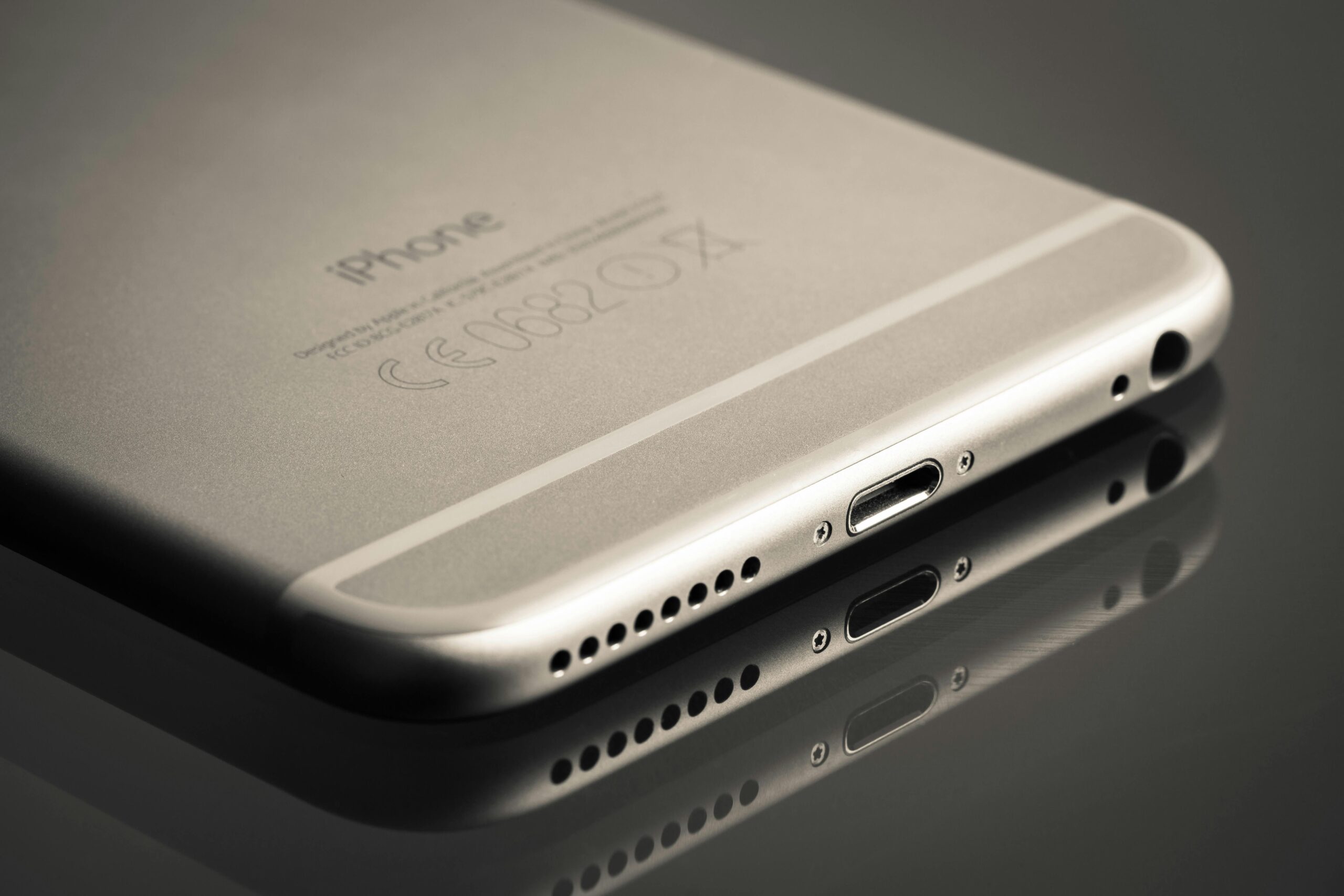
Start by thoroughly cleaning your phone’s speaker grilles and charging port. Accumulated dust and debris can muffle sound output and reduce clarity. A soft brush or compressed air removes buildup that gradually degrades audio quality over time.
Experiment with phone positioning when using built-in speakers. Sound reflects off surfaces, and strategic placement can enhance bass response and overall volume. Placing your phone in a bowl or cup creates a simple acoustic amplifier that noticeably boosts output without requiring any accessories.
Quick Wins for Better Audio
- Update all audio-related apps to ensure you have the latest codec support
- Delete and re-download your favorite albums in the highest available quality
- Test different EQ presets to find what sounds best with your headphones
- Disable battery optimization for music apps to prevent quality reduction
- Use offline mode in streaming apps to avoid quality drops from poor connections
- Enable WiFi calling for clearer voice calls with better audio codec support
🎊 Bringing It All Together
Your smartphone contains incredible audio potential that most users never fully realize. By understanding the technology, optimizing settings, choosing quality sources, and selecting appropriate accessories, you can transform your device into a genuinely impressive audio system.
The journey to exceptional mobile audio doesn’t require massive investment—often, simple setting adjustments and mindful content choices deliver the most noticeable improvements. Start with native features, experiment with different configurations, and gradually expand your setup as you discover what matters most to your listening preferences.
Remember that audio quality is ultimately subjective. What sounds perfect to one person might not suit another’s tastes. Use these guidelines as starting points, then trust your ears to guide you toward the configuration that brings you the most enjoyment from your music, calls, games, and multimedia content.
Take time to explore your smartphone’s audio capabilities methodically. Each adjustment, each new app, and each quality setting reveals new dimensions in your favorite content. The power has always been in your pocket—now you know how to unleash it fully. 🎶
