
Anúncios
Ever wondered if your smartphone could replace your traditional tape measure? The good news is, it absolutely can—and with surprising accuracy! 📱📏


Gone are the days when measuring anything required carrying around bulky tools. Thanks to augmented reality (AR) technology and sophisticated sensors built into modern smartphones, your device can now function as a reliable measuring instrument. Whether you’re a DIY enthusiast, a professional contractor, or someone who occasionally needs quick measurements, turning your phone into a tape measure opens up a world of convenience.
This transformation isn’t just about novelty—it’s about practicality. From measuring furniture dimensions before purchasing to quickly checking if that new couch will fit through your doorway, smartphone measuring apps have become indispensable tools in our digital toolkit. Let’s explore how you can harness this technology and which apps will give you the most accurate results.
Understanding the Technology Behind Smartphone Measuring Apps 🔬
Before diving into the practical applications, it’s essential to understand what makes your smartphone capable of measuring physical distances. Modern smartphones are equipped with sophisticated sensors and technologies that work together to create this functionality.
The primary technology enabling smartphone measurements is Augmented Reality (AR). Apple’s ARKit and Google’s ARCore platforms use your phone’s camera combined with motion sensors to map the three-dimensional space around you. When you point your camera at an object, these systems identify surfaces, detect edges, and calculate distances based on real-world scale.
Your smartphone’s accelerometer, gyroscope, and camera work in harmony to track movement and orientation. As you move your device, these sensors continuously update spatial information, allowing the AR software to place virtual objects in real space with remarkable precision. The result? Your phone can measure distances, heights, areas, and even angles with decent accuracy.
LiDAR (Light Detection and Ranging) technology, available in newer iPhone and iPad Pro models, takes this even further. LiDAR scanners emit invisible laser pulses that bounce off objects and return to the sensor, creating detailed depth maps of your environment. This technology significantly improves measurement accuracy and works effectively even in low-light conditions.
Top Apps That Transform Your Phone Into a Measuring Tool 📲
The app marketplace offers numerous options for turning your smartphone into a digital tape measure. Each application has unique features, strengths, and use cases. Here are the most reliable and feature-rich options available:
AR Ruler App – Tape Measure
AR Ruler is one of the most popular and comprehensive measurement apps available for both iOS and Android. This versatile application offers multiple measurement modes including linear distance, height measurement, area calculation, and even volume estimation. The interface is intuitive, making it accessible for beginners while providing advanced features for experienced users.
The app excels at measuring flat surfaces and works particularly well on floors, walls, and tabletops. It includes a 3D cube measurement feature that’s perfect for calculating package dimensions or estimating how much space furniture will occupy. The angle measurement tool is especially useful for construction projects or hanging pictures perfectly level.
Measure by Apple
Built directly into iOS devices running iOS 12 or later, Apple’s Measure app offers seamless integration with your iPhone or iPad. The app automatically detects rectangular objects and can measure them with a single tap. On devices equipped with LiDAR scanners (iPhone 12 Pro and later, iPad Pro 2020 and later), the accuracy reaches impressive levels.
The Measure app includes a level function, useful for hanging frames or checking if surfaces are properly aligned. It also allows you to save measurements as photos with dimension overlays, making it easy to reference later or share with others. The simplicity and reliability of this native app make it the go-to choice for many iPhone users.
Google Measure (Android)
While Google has discontinued the standalone Measure app, its functionality has been integrated into various Google services and third-party apps that use ARCore. Android users can access similar features through apps like Measure by Google, which is still available on some devices, or through comprehensive alternatives like EasyMeasure.
RoomScan LiDAR
For users with LiDAR-equipped devices, RoomScan LiDAR represents the cutting edge of smartphone measuring technology. This app specializes in creating detailed floor plans and room measurements. Simply walk around a room with your device, and the app automatically detects walls, doors, windows, and other architectural features.
Real estate professionals, interior designers, and contractors find RoomScan particularly valuable. The app generates professional-quality floor plans that can be exported in various formats, including CAD files. While it requires a subscription for full functionality, the precision and time-saving capabilities justify the investment for professional use.
Moasure – Smart Tape Measure
Moasure takes a different approach by using your phone’s motion sensors rather than the camera. You physically move your phone from point A to point B, and the app calculates the distance based on the movement detected by accelerometers and gyroscopes. This method works around corners, through doorways, and in situations where camera-based AR might struggle.
The app is particularly useful for measuring longer distances, calculating perimeters, and determining areas of irregular shapes. It can measure vertically, horizontally, and even along curved paths. While the accuracy depends on steady hand movement, with practice, users achieve remarkably consistent results.
Step-by-Step Guide to Accurate Measurements 🎯
Getting accurate measurements with your smartphone requires understanding proper technique and environmental factors. Follow these guidelines to maximize precision and reliability.
Preparing Your Environment
Good lighting is crucial for camera-based measurement apps. Ensure the area you’re measuring is well-lit, avoiding harsh shadows or extremely bright spots that might confuse the AR system. Natural daylight works best, but consistent artificial lighting also produces excellent results.
Clear the area of visual clutter when possible. While modern AR systems handle complexity well, a clean surface with distinct edges helps the software identify measurement points more accurately. Remove unnecessary objects from the camera’s field of view.
Calibration and Setup
Most measuring apps require an initial calibration phase. This typically involves slowly moving your phone in a figure-eight pattern or scanning the floor and nearby surfaces. This process helps the app understand the spatial environment and establish reference points. Take your time during calibration—rushing through this step reduces overall accuracy.
Hold your phone steadily and move it smoothly when scanning. Jerky movements or rapid camera changes confuse the AR system and lead to measurement errors. Think of it like painting with smooth, controlled brush strokes rather than quick, erratic dabs.
Taking the Measurement
Position yourself at a comfortable distance from the object you’re measuring—typically 3-5 feet away provides optimal results. When measuring length, place the starting point by tapping the screen at one end of the object, then slowly move your phone to the opposite end and tap again.
For the most accurate results, measure the same distance multiple times and average the results. Smartphone measurements typically have a margin of error of 1-3%, which is acceptable for most everyday purposes but might not suffice for precision carpentry or professional construction work.
Verifying Your Measurements
Always verify critical measurements with a traditional measuring tool when possible. Use your smartphone measure as a convenient reference, but for projects requiring high precision—like cutting expensive materials or ordering custom-fit items—confirm with a physical tape measure or ruler.
Compare measurements of known distances to gauge your app’s accuracy. Measure a door frame, countertop, or other object you can easily verify with a physical measuring tool. This gives you confidence in the app’s reliability and helps you understand its limitations.
Advanced Features and Creative Applications 🛠️
Beyond simple distance measurements, smartphone measuring apps offer advanced capabilities that expand their utility far beyond replacing a traditional tape measure.
Area and Volume Calculations
Many apps automatically calculate area when you measure the length and width of a rectangular space. This feature is invaluable when estimating flooring materials, carpet requirements, or paint coverage. Some apps also calculate volume, perfect for determining storage capacity or shipping dimensions.
Irregular shapes require a different approach. Apps like Moasure allow you to walk the perimeter of non-rectangular spaces, automatically calculating the enclosed area. This works wonderfully for landscaping projects, irregularly-shaped rooms, or outdoor spaces.
Height Measurement Without Ladders
Determining the height of tall objects—ceiling height, tree height, building facades—becomes remarkably simple with AR measuring apps. Point your camera at the base of the object, establish a reference point on the ground, then move your camera to the top. The app calculates vertical distance using trigonometry and sensor data.
This functionality eliminates the need for ladders or dangerous climbing. Real estate agents use it to quickly document ceiling heights, while outdoor enthusiasts estimate tree heights for various purposes. The accuracy is surprisingly good, typically within a few inches for objects up to 20-30 feet tall.
Creating Virtual Floor Plans
Advanced apps like RoomScan and MagicPlan transform your phone into a professional floor plan creator. Walk through a space, and the app automatically detects walls, doors, and windows, generating a scale floor plan in minutes. These plans can be annotated, customized, and exported in various professional formats.
Interior designers use these tools for space planning, while homeowners find them helpful when shopping for furniture or planning renovations. The ability to visualize a space accurately before making changes or purchases saves time, money, and frustration.
Photo Measurements and Annotations
Several apps allow you to take photos with measurement overlays, creating permanent records of dimensions. This feature is particularly useful when shopping for furniture or comparing items. Take a photo of your wall space with dimensions marked, then reference it when browsing for artwork, shelving, or entertainment centers.
Contractors and inspectors use annotated measurement photos for documentation purposes. Instead of hastily scribbled notes, they capture clear visual records with precise dimensions embedded in the images, reducing errors and miscommunication.
Practical Scenarios Where Your Phone Replaces the Tape Measure 🏠
Understanding when to use your smartphone as a measuring tool—and when to stick with traditional methods—helps you work more efficiently and accurately.
Furniture Shopping and Interior Design
Before purchasing furniture, quickly measure the intended space with your phone. Check doorway widths to ensure delivery is possible, verify that sofas will fit along walls, and confirm that coffee tables won’t overwhelm living areas. This prevents costly mistakes and return hassles.
When rearranging existing furniture, measure pieces and spaces to visualize new layouts before physically moving heavy items. Some apps even include AR furniture placement features, allowing you to virtually “place” furniture in your space before committing to arrangements.
Home Improvement Projects
DIY enthusiasts find smartphone measurements invaluable for quick references during projects. Estimate material quantities for painting, determine lumber lengths needed for shelving, or check dimensions for custom storage solutions. While critical cuts should be verified with physical measures, initial planning becomes much faster.
Hanging pictures and decorations becomes easier when you can quickly measure spacing and alignment. Use your phone’s level function to ensure perfect horizontal or vertical placement, eliminating the guesswork that leads to walls full of extra nail holes.
Real Estate and Property Management
Real estate agents document property dimensions quickly during showings or listing preparations. Measure room sizes, create floor plans, and calculate square footage without scheduling separate measurement appointments. This speeds up the listing process and provides valuable information to potential buyers.
Property managers use measurement apps when assessing maintenance needs, ordering replacement items, or documenting property conditions. The efficiency gains translate directly into time and cost savings.
Travel and Luggage Planning
Check airline luggage size restrictions by measuring your bags before heading to the airport. Verify that souvenirs or purchases will fit in available luggage space. When traveling internationally, quickly measure items you’re considering purchasing to ensure they’ll fit in your suitcase or meet shipping requirements.
Limitations and When to Use Traditional Tools 📏
While smartphone measuring apps are impressive, understanding their limitations ensures you use them appropriately and maintain realistic expectations.
Accuracy Considerations
Smartphone measurements typically offer accuracy within 1-3% for most applications. This works fine for furniture shopping, general DIY projects, and space planning, but precision work requires traditional tools. Carpentry, custom cabinetry, and construction projects demand the accuracy that only physical measuring instruments provide.
Environmental factors affect accuracy. Poor lighting, reflective surfaces, and distant objects reduce precision. Glass, mirrors, and very dark or very bright surfaces sometimes confuse AR systems, leading to unreliable measurements.
Technical Requirements
Not all smartphones support advanced AR features. Older devices may lack the necessary sensors or processing power for accurate measurements. Check your device’s compatibility before relying on measuring apps for important tasks. LiDAR-equipped devices offer significantly better accuracy but remain limited to premium phone models.
Learning Curve
Achieving consistent accuracy with smartphone measuring apps requires practice. Users must learn proper technique, understand when environmental conditions affect results, and develop a feel for the technology’s capabilities. Don’t expect perfect results immediately—allow time to develop proficiency.
Tips for Maximum Accuracy and Efficiency ⚡
These practical tips help you get the most accurate measurements possible from your smartphone while working efficiently.
Always measure twice, especially for important dimensions. The few extra seconds required to verify a measurement can prevent costly mistakes. Take multiple measurements from slightly different angles and average the results for improved accuracy.
Keep your phone’s camera lens clean. Smudges, dust, and fingerprints degrade image quality and reduce measurement accuracy. Regularly wipe the lens with a soft, clean cloth, especially before starting measurement sessions.
Update your measuring apps regularly. Developers continuously improve AR algorithms and measurement accuracy through software updates. Staying current ensures you benefit from the latest enhancements and bug fixes.
Practice on known distances to calibrate your skills. Measure objects with verified dimensions repeatedly until you develop consistent technique. This builds confidence and helps you recognize when measurements seem questionable.
Consider environmental conditions. Bright sunlight washing out your screen makes it difficult to see measurement markers. Extremely low light reduces AR accuracy. Choose appropriate times and locations for critical measurements when possible.
The Future of Smartphone Measuring Technology 🚀
Smartphone measuring capabilities continue advancing rapidly as hardware and software improve. Understanding coming developments helps you appreciate the technology’s trajectory and potential.
LiDAR technology is becoming more widespread, appearing in mid-range devices rather than exclusively premium models. This democratization of advanced sensors will bring professional-grade measurement accuracy to more users. Future smartphones may include even more sophisticated depth-sensing technologies, further improving measurement precision.
Artificial intelligence and machine learning enhance measurement apps’ ability to understand context and automatically identify objects. Future apps might automatically measure all objects in a room simultaneously, creating comprehensive dimensional databases with minimal user input.
Integration with other technologies expands possibilities. Imagine measuring a space with your phone, then instantly viewing how furniture from online stores would look in that space at accurate scale. This augmented shopping experience is already emerging and will become increasingly sophisticated.
Professional applications continue expanding. Architects, engineers, and construction professionals increasingly incorporate smartphone measurements into their workflows. As accuracy improves and professional-grade features develop, these tools bridge the gap between consumer convenience and professional requirements.
Making the Most of Your Digital Tape Measure 🎓
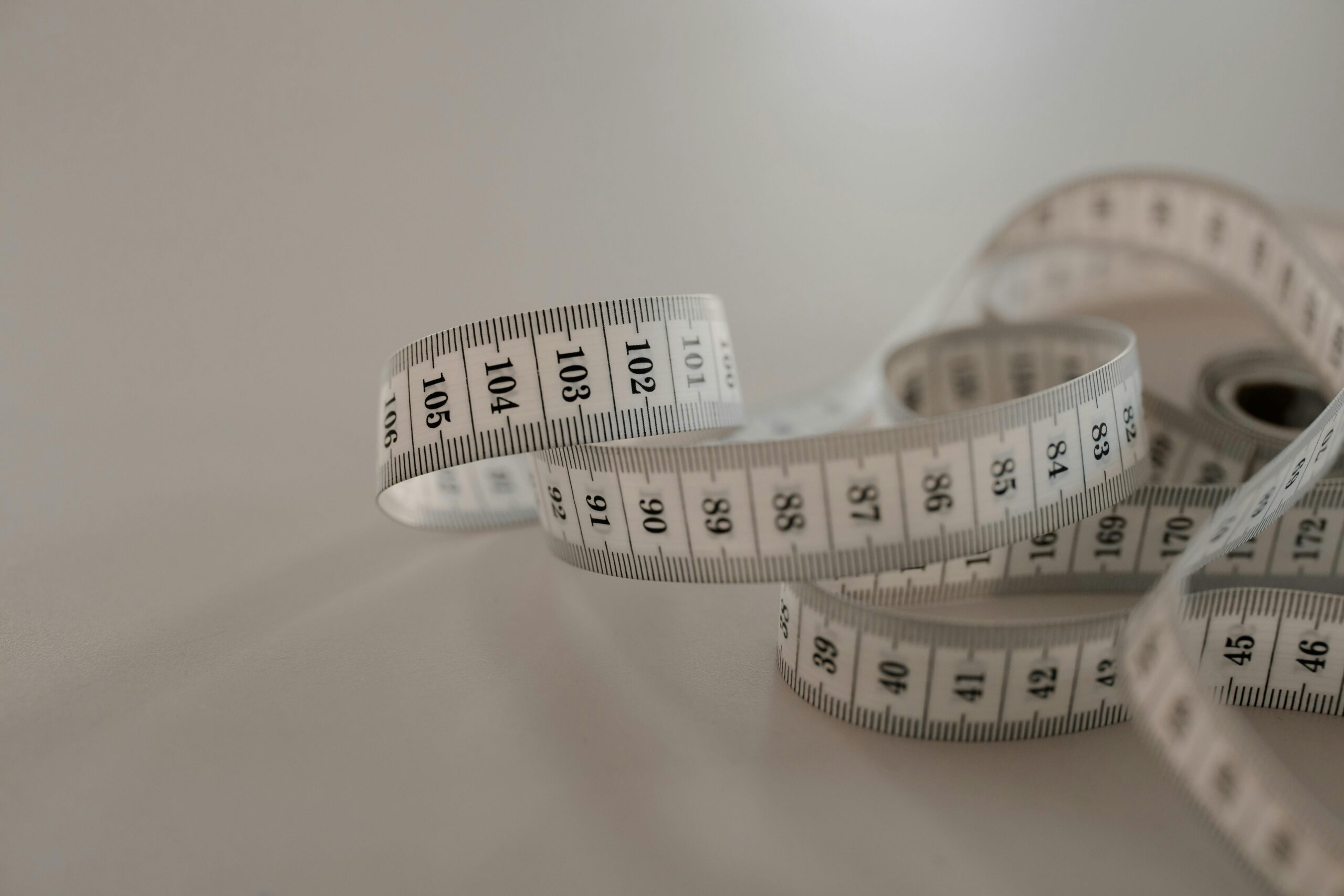
Transforming your smartphone into a tape measure represents more than technological novelty—it’s genuinely practical innovation that simplifies everyday tasks. By understanding the underlying technology, choosing appropriate apps, mastering proper technique, and recognizing limitations, you’ll find countless situations where your phone’s measuring capabilities prove invaluable.
Start with simple measurements to build confidence and proficiency. Measure rooms in your home, furniture dimensions, or everyday objects. As your skills develop, tackle more complex measurements and explore advanced features. Remember that smartphone measurements complement rather than completely replace traditional tools—each has appropriate applications.
The convenience of always having a measuring tool in your pocket changes how you approach spatial challenges. Whether furniture shopping, planning home improvements, or simply satisfying curiosity about dimensions, your smartphone stands ready to provide quick, reasonably accurate measurements whenever needed.
Embrace this technology as part of your digital toolkit. With practice and proper technique, you’ll wonder how you ever managed without this capability. The future of measurement is literally in your hands—or more accurately, in your pocket, ready whenever you need it! 📱✨
