
Anúncios
Imagine having a professional measuring tool in your pocket at all times. Your smartphone can now replace traditional tape measures with precision and convenience.


The evolution of smartphone technology has brought us far beyond simple communication devices. Modern phones equipped with advanced sensors and augmented reality capabilities can perform tasks that once required specialized equipment. Among these innovations, digital measuring apps stand out as practical tools for everyday use.
Whether you’re a professional contractor, interior designer, real estate agent, or simply someone who enjoys DIY projects, having accurate measurement capabilities on your phone eliminates the need to carry bulky traditional tools. These applications leverage your device’s camera, sensors, and AR technology to deliver surprisingly accurate results that rival conventional tape measures.
📱 How Smartphone Measuring Technology Actually Works
The science behind these measuring apps is fascinating and relies on multiple smartphone components working together seamlessly. Understanding the technology helps you appreciate the accuracy and choose the right app for your needs.
Most modern measuring apps utilize augmented reality (AR) frameworks like ARCore for Android and ARKit for iOS. These platforms use a process called Visual Inertial Odometry (VIO), which combines data from your phone’s camera with motion sensor information to track the device’s position in three-dimensional space.
When you point your camera at a surface, the app analyzes visual features in the environment, creating anchor points and understanding spatial relationships. The gyroscope and accelerometer provide additional motion data, allowing the app to maintain accurate positioning even when you move your device.
The Time-of-Flight (ToF) sensors found in premium smartphones emit infrared light and measure how long it takes to bounce back from objects. This creates a depth map of your surroundings, significantly improving measurement accuracy. Devices like the iPhone Pro series and certain flagship Android phones include LiDAR sensors that take this technology even further.
🎯 Top Professional Measuring Apps Worth Downloading
The app marketplace offers dozens of measuring solutions, but only a handful deliver professional-grade accuracy and functionality. Here’s a detailed look at the best options available today.
AR Ruler App – Tape Measure Cam
This versatile application transforms your smartphone into a comprehensive measurement toolkit. AR Ruler App uses augmented reality to measure linear distances, angles, area, and even calculate volumes. The interface is intuitive, making it accessible for beginners while offering advanced features for professionals.
The app includes multiple measurement modes: distance measurement, perimeter calculation, area measurement, volume calculation, and angle measurement. You can save measurements with photos, create custom labels, and export data in various formats. The history feature lets you revisit previous measurements, which proves invaluable for ongoing projects.
Measure by Google
Google’s official measuring app comes pre-installed on many Android devices and showcases the potential of ARCore technology. The app’s strength lies in its simplicity and reliability. With just a few taps, you can measure heights, widths, and distances with impressive accuracy.
The quick measurement feature automatically detects rectangular objects like picture frames, screens, or books, instantly displaying their dimensions. This automation saves time and reduces measurement errors. The app also includes a level function, replacing yet another physical tool in your arsenal.
RoomScan LiDAR
Specifically designed for devices with LiDAR sensors, RoomScan LiDAR creates detailed floor plans by simply scanning your space. This professional-grade application is perfect for real estate professionals, architects, and interior designers who need accurate room dimensions and layouts.
The app generates floor plans that can be exported to CAD software, shared as PDFs, or integrated with other design applications. It automatically detects walls, doors, and windows, creating comprehensive room diagrams in minutes rather than hours of manual measuring.
MagicPlan
MagicPlan combines measurement capabilities with comprehensive project management features. You can create floor plans, add annotations, insert photos, and even generate cost estimates directly within the app. This makes it ideal for contractors and renovation professionals.
The app supports collaboration, allowing multiple team members to work on the same project. You can share plans with clients, receive feedback, and make adjustments in real-time. The integrated reporting features help create professional documentation for permits and proposals.
🔧 Maximizing Measurement Accuracy on Your Device
While these apps are remarkably accurate, understanding how to use them properly ensures the best results. Environmental factors and technique significantly impact measurement precision.
Lighting plays a crucial role in AR accuracy. Well-lit environments with consistent illumination allow the app to identify reference points more effectively. Avoid measuring in dim conditions or with harsh shadows that can confuse the camera’s spatial recognition algorithms.
Surface texture matters more than you might think. Plain, featureless surfaces like white walls or glass can challenge AR systems because they lack distinctive visual markers. When measuring such surfaces, consider including nearby textured objects in your camera view to provide reference points.
Your movement speed affects accuracy dramatically. Slow, steady movements give the app time to process visual information and adjust calculations. Quick, jerky motions introduce errors and can cause the app to lose tracking. Practice smooth camera movements for consistently reliable measurements.
Calibration should become a regular habit. Many apps include calibration features that allow you to verify accuracy against known distances. Perform this check periodically, especially after system updates or when measurement accuracy seems inconsistent.
💼 Professional Applications Across Different Industries
Digital measuring tools have transcended hobbyist territory and entered professional workflows across numerous industries. Their convenience and accuracy make them indispensable in modern work environments.
Construction and Contracting
Contractors use measurement apps for quick site assessments, material calculations, and progress documentation. The ability to photograph measurements creates verifiable records that protect against disputes and ensure accountability. Apps with export functions integrate seamlessly with estimating software, streamlining the bidding process.
Real Estate and Property Management
Real estate professionals rely on measuring apps to create accurate listings, verify square footage, and help clients visualize furniture placement. The speed of digital measurement allows agents to process properties quickly without scheduling separate measuring appointments. Virtual staging becomes more precise when based on accurate room dimensions.
Interior Design and Home Staging
Interior designers use measurement apps to assess spaces during initial consultations, ensuring furniture selections will fit properly. The ability to measure and photograph simultaneously creates useful reference materials for later design work. Some apps integrate with design software, allowing direct import of room dimensions into 3D modeling programs.
Logistics and Warehouse Management
Shipping and logistics professionals measure packages, pallets, and cargo spaces using smartphone apps. This capability speeds up processing times and reduces errors in shipping calculations. The volume measurement features help optimize packing and calculate freight costs accurately.
📊 Comparing Digital Versus Traditional Measuring Tools
Understanding the strengths and limitations of smartphone measuring apps compared to traditional tools helps you choose the right method for each task.
| Feature | Smartphone Apps | Traditional Tape Measures |
|---|---|---|
| Portability | Always with you, no extra tools needed | Requires carrying separate equipment |
| Accuracy | ±1-3% with good conditions | ±1mm with proper technique |
| Speed | Instant measurements, faster for multiple points | Slower for complex measurements |
| Documentation | Automatic photo integration and digital records | Manual note-taking required |
| Learning Curve | Minimal, intuitive interfaces | Nearly instant, familiar to most |
| Cost | Free to $10 for premium features | $5-$50 depending on quality |
| Long Distances | Excellent for distances over 10 feet | Limited by tape length, awkward alone |
| Fine Precision | Less accurate for sub-inch measurements | Better for detailed carpentry work |
For most everyday applications, smartphone measuring apps provide sufficient accuracy and superior convenience. However, critical applications requiring precise tolerances—like custom furniture building or technical installations—still benefit from traditional precision tools.
🚀 Advanced Features That Set Premium Apps Apart
Free measuring apps provide basic functionality, but premium versions unlock features that justify their modest subscription fees or one-time purchases.
Cloud synchronization ensures your measurements remain accessible across devices and platforms. This proves invaluable when collaborating with team members or switching between your phone and tablet during projects. Your measurement history, photos, and notes follow you everywhere.
CAD integration allows direct export of measurements and floor plans into professional design software. Architects and engineers appreciate this seamless workflow that eliminates manual data transfer and reduces transcription errors. Formats like DXF and DWG maintain compatibility with industry-standard applications.
Custom reporting features generate professional documentation suitable for clients, permits, and records. You can customize templates with your branding, add detailed notes, and include photos with measurements overlaid directly on images. This presentation capability elevates your professional image.
Offline functionality ensures you can measure even without internet connectivity. The app stores your work locally and syncs when connection returns. This reliability matters on construction sites or remote locations with spotty coverage.
Multi-point measurement tools allow complex shape mapping beyond simple linear distances. You can trace irregular perimeters, calculate odd-shaped areas, and measure curved surfaces. These advanced geometric capabilities support specialized professional applications.
🎓 Mastering Technique for Consistently Accurate Results
Even the best measuring app requires proper technique to deliver reliable results. These practices separate casual users from professionals who depend on precision.
Start every measuring session by allowing the app to establish environmental mapping. Point your camera around the area, letting the AR system identify surfaces and establish reference planes. This initialization period takes just seconds but dramatically improves subsequent measurements.
Position your starting point carefully at the exact measurement origin. Take a moment to ensure the virtual marker aligns precisely with the physical point you’re measuring from. A millimeter of error at the start compounds over distance.
Maintain consistent distance from your subject throughout the measurement. Moving closer or farther as you sweep introduces parallax errors that affect accuracy. Practice keeping your phone at a steady distance for the most reliable results.
Use reference measurements to verify accuracy. Periodically measure a known distance—like a standard door frame or reference object—to confirm your app is performing correctly. This quality check catches potential issues before they affect important measurements.
Take multiple measurements of critical dimensions. Professional practice involves measuring important distances at least twice, comparing results to ensure consistency. A variance of more than 1-2% suggests environmental interference or technique issues requiring adjustment.
🌟 Innovative Uses Beyond Basic Measuring
Creative professionals have discovered applications for measuring apps that extend far beyond their obvious purpose, opening new possibilities for productivity and problem-solving.
DIY enthusiasts use measurement apps to verify furniture fit before purchasing or moving large items. Instead of wondering whether that couch will fit through your doorway, you can measure both and know with certainty. This prevents costly mistakes and saves the hassle of returns.
Photography professionals employ measuring apps to calculate optimal camera placement and lens selection. By measuring room dimensions and subject distances, photographers can plan lighting setups and equipment needs before arriving on location.
Gardeners and landscapers measure planting areas, calculate mulch or soil requirements, and plan garden layouts using measurement apps. The area calculation features provide accurate square footage for material ordering, reducing waste and expense.
Travelers use measuring apps to verify luggage dimensions against airline restrictions, measure hotel rooms for trip planning, and even estimate serving sizes by measuring plate dimensions. This versatility makes the apps valuable in unexpected situations.
Parents measure children’s growth, track changes in room layouts, and plan toy storage solutions. The photo documentation feature creates lasting records of how spaces evolve as children grow.
⚡ Troubleshooting Common Measurement Challenges
Even experienced users encounter situations where measurements don’t behave as expected. Understanding common issues and their solutions ensures you’re never stuck without accurate measurements.
When measurements seem consistently inaccurate, first check for software updates. AR frameworks receive regular improvements that enhance accuracy and fix bugs. Keeping your app and operating system current ensures you benefit from the latest optimizations.
Reflective or transparent surfaces confuse AR systems because they lack solid reference points. When measuring glass, mirrors, or polished metal, include surrounding non-reflective objects in your camera view to provide tracking anchors. Alternatively, temporarily place removable markers on challenging surfaces.
Measurement drift occurs during long measuring sessions as small errors accumulate. Reset the AR session periodically by closing and reopening the measurement to clear any accumulated tracking errors. This fresh start ensures accuracy for your next measurement.
Device heating can affect sensor performance during extended use. If your phone becomes warm, allow it to cool briefly before continuing important measurements. Overheated sensors can introduce errors that compromise accuracy.
Poor GPS or compass calibration sometimes interferes with AR functionality. Recalibrate your phone’s compass by moving it in a figure-eight pattern several times. This resets the magnetic sensors that contribute to spatial awareness.
🔮 The Future of Smartphone Measuring Technology
Emerging technologies promise to make smartphone measuring even more accurate and versatile in the coming years. Understanding these trends helps you anticipate future capabilities.
Neural processing integration will enable real-time AI analysis of measurements, automatically detecting errors and suggesting corrections. Machine learning algorithms will learn from your measuring patterns, adapting to your specific technique for improved accuracy.
Enhanced sensor arrays in next-generation smartphones will include more sophisticated depth sensors and potentially even miniaturized radar systems. These hardware improvements will push accuracy closer to professional survey-grade equipment while maintaining smartphone convenience.
Cross-platform standardization efforts aim to create universal measurement formats that work seamlessly across different apps and devices. This interoperability will eliminate compatibility headaches and streamline professional workflows.
Augmented reality glasses integration will free your hands while measuring, allowing you to mark dimensions with gestures while viewing overlay information through wearable displays. This hands-free operation transforms how professionals approach measurement tasks.
Collaborative measurement platforms will enable multiple users to simultaneously map large spaces, with measurements automatically merging into comprehensive 3D models. This capability will revolutionize large-scale surveying and construction documentation.
🛠️ Practical Tips for Specific Measurement Scenarios
Different measuring situations require adapted approaches for optimal results. These scenario-specific techniques help you handle common challenges effectively.
For measuring tall walls or ceilings, use the height detection feature found in most apps. Point your camera at the base, tap to set the starting point, then slowly pan upward while keeping the vertical edge in frame. The app calculates height using trigonometry based on your device’s angle and distance.
When measuring outdoors in bright sunlight, shield your screen to maintain visibility of measurement markers. Glare can make it difficult to see where you’ve placed reference points. Consider adjusting screen brightness to maximum for outdoor use.
For measuring small objects requiring precision, get closer to your subject and use multiple reference points. The closer your camera, the more accurate small measurements become. Some apps include macro measurement modes optimized for objects under six inches.
In crowded spaces with limited room to move, use the device’s wide-angle camera if available. This broader field of view helps the AR system maintain tracking when you can’t step back far enough for optimal perspective.
When documenting measurements for later reference, use the annotation features to label each measurement clearly. Include context photos showing the surrounding area so you can recall exactly what you measured when reviewing data later.
💡 Making the Most of Your Professional Measuring Setup
Transforming your smartphone into a reliable professional measuring tool involves more than just downloading an app. A systematic approach ensures consistent, dependable results you can stake your reputation on.
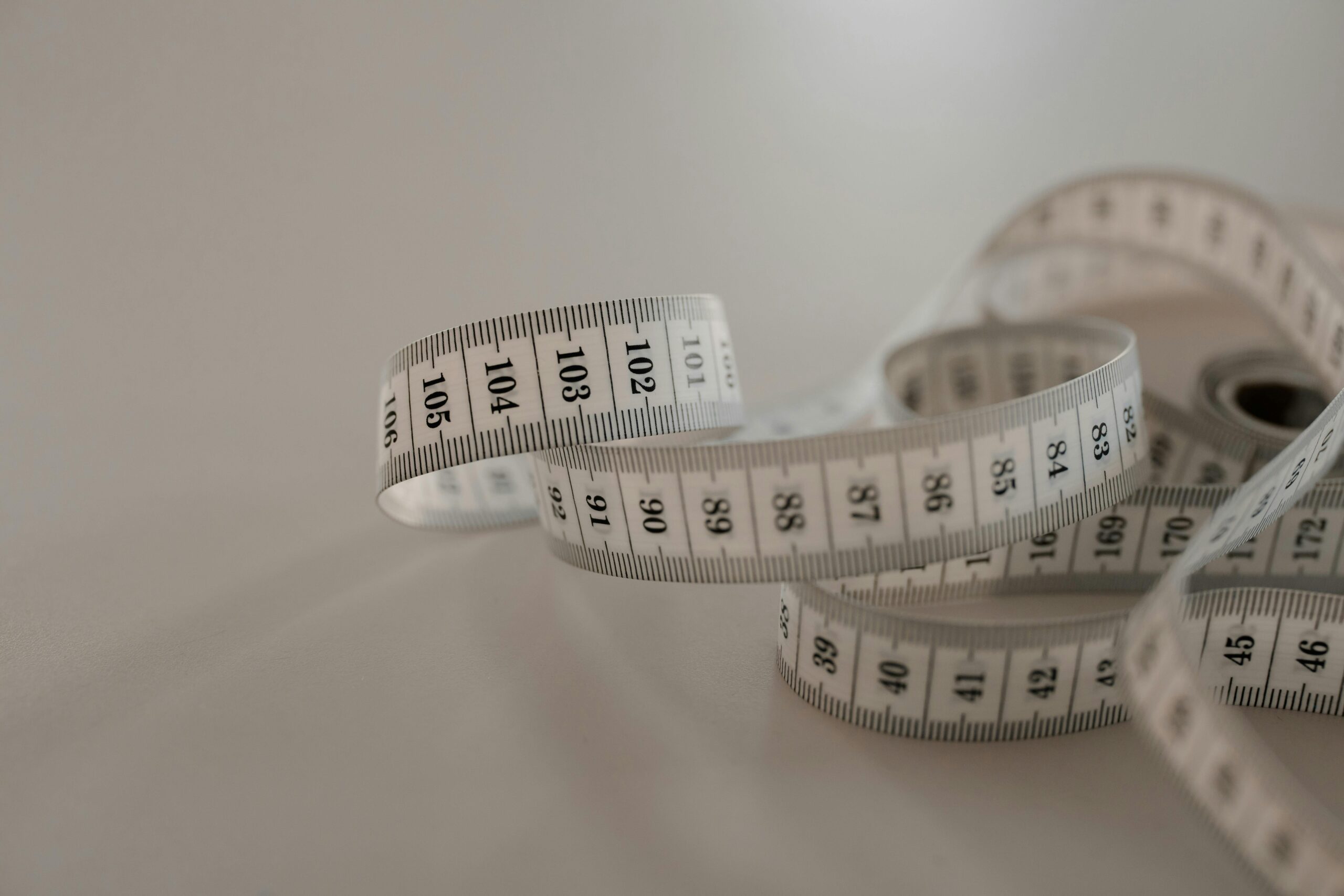
Invest in a smartphone stabilizer or tripod mount for situations requiring maximum precision. Eliminating hand shake improves accuracy, particularly for long-distance measurements or when documenting complex spaces. Even an inexpensive tripod adapter significantly enhances stability.
Create measurement templates for frequently performed tasks. If you regularly measure similar spaces or objects, save custom configurations that streamline your workflow. This preparation saves time and ensures consistency across multiple projects.
Develop a backup strategy by cross-referencing digital measurements with spot checks using traditional tools. This verification process builds confidence in your digital measurements while catching the occasional error before it becomes problematic.
Practice regularly to maintain proficiency. Like any professional skill, measuring accuracy improves with experience. Spend time with your chosen app, exploring all its features and learning its quirks. This familiarity translates to faster, more accurate real-world measurements.
Join user communities and forums dedicated to your measurement app. Other professionals share tips, techniques, and solutions to common problems. These communities often discover hidden features or creative applications that enhance your capabilities.
The transformation of smartphones into professional-grade measuring instruments represents a remarkable convergence of technology and practicality. By understanding the underlying technology, choosing quality apps, mastering proper technique, and staying current with emerging capabilities, you can confidently rely on your phone for measurements that once required specialized equipment. Whether you’re a seasoned professional or someone who occasionally needs accurate measurements, your smartphone now offers precision, convenience, and documentation capabilities that enhance productivity and eliminate the need for bulky traditional tools. Embrace this technology, practice diligently, and you’ll wonder how you ever managed without this powerful tool literally at your fingertips.
